Amon2::Lite で作る Dropbox アプリ!
iPhone / Android ではちらほら Dropbox API を使ったアプリを見かけますが、当然 CPAN にも Net::Dropbox::API というモジュールがありました。examples に Mojolicious::Lite を使った簡単な例が紹介されていたので Amon2::Lite でもやってやろう!ということで、
- Amon2::Liteでmarkdownその他のリアルタイムプレビュー - すぎゃーんメモ
- Big Sky :: すぎゃーんさんの「Amon2::Liteでmarkdownその他のリアルタイムプレビュー」をfluxflexで動かしてみた。
をもとに Dropbox アプリを作ってみました。
9/21 追記: コードは更新されているのでこっちにあるものを見てください!
https://github.com/wata/Text2Dropbox
アプリに必要な key と secret はDropbox - 開発者 - 生活をシンプルにからゲットできます。~~ゲットした key と secret は最初に config.pl というファイルに書いておくようにしました。
app.psgi
~~
use strict;
use warnings;
use utf8;
use File::Spec;
use File::Basename;
use lib File::Spec->catdir(dirname(__FILE__), 'extlib', 'lib', 'perl5');
use lib File::Spec->catdir(dirname(__FILE__), 'lib');
use Plack::Builder;
use Amon2::Lite;
use Encode 'encode_utf8';
use Text::Markdown 'markdown';
use Text::Xatena;
use Pod::Simple::XHTML;
use Net::Dropbox::API;
use File::Temp qw/ tempfile /;
use Time::Piece;
#use Data::Dumper;

my $config = require "config.pl";
my $box = Net::Dropbox::API->new($config);
my $pending;

my $converters = {
    markdown => sub {
        my $text = shift;
        return markdown($text);
    },
    xatena => sub {
        my $text = shift;
        return Text::Xatena->new->format($text);
    },
    pod => sub {
        my $text = shift;
        my $parser = Pod::Simple::XHTML->new;
        $parser->html_header('');
        $parser->html_footer('');
        $parser->output_string(\my $html);
        $parser->parse_string_document($text);
        return $html;
    },
};

get '/' => sub {
    my ($c) = @_;
    my $vars;
    unless ($box->request_token) {
        $vars = { login => $box->login };
        $pending->{$box->request_token} = $box->request_secret;
    }
    return $c->render('index.tt', $vars);
};

get '/callback' => sub {
    my ($c) = @_;
    my $token = $c->req->param('oauth_token');
    my $secret = delete $pending->{$token};
    $box->auth({
        request_token  => $token,
        request_secret => $secret
    });
    $box->context('dropbox');
#    print Dumper $box;
    $c->redirect('/');
};

get '/logout' => sub {
    my ($c) = @_;
    delete $box->{request_token};
    delete $box->{request_secret};
    $c->redirect('/');
};

post '/upload' => sub {
    my ($c) = @_;
    my $mytext = $c->req->param('mytext') || $c->redirect('/');
    my ($fh, $filename) = tempfile;
    print $fh $mytext;
    close $fh;
    my $date = localtime;
    $box->putfile($filename, 'Text2Dropbox', $date->date('') . $date->time('') . '.txt');
    $c->redirect('/');
};

post '/preview' => sub {
    my ($c) = @_;
    my $converter = $converters->{$c->req->param('format')};
    my $html = $converter ? $converter->($c->req->param('text')) : '';
    return $c->create_response(200, ['Content-Type' => 'text/plain'], [encode_utf8($html)]);
};

# for your security
__PACKAGE__->add_trigger(
    AFTER_DISPATCH => sub {
        my ( $c, $res ) = @_;
        $res->header( 'X-Content-Type-Options' => 'nosniff' );
    },
);

# load plugins
use HTTP::Session::Store::File;
__PACKAGE__->load_plugins(
    'Web::NoCache',
#    'Web::CSRFDefender',
#    'Web::HTTPSession' => {
#        state => 'Cookie',
#        store => HTTP::Session::Store::File->new(
#            dir => File::Spec->tmpdir(),
#        )
#    },
);

builder {
    enable 'Plack::Middleware::Static',
        path => qr{^(?:/static/|/robot\.txt$|/favicon.ico$)},
        root => File::Spec->catdir(dirname(__FILE__));
    enable 'Plack::Middleware::ReverseProxy';

    __PACKAGE__->to_app();
};

__DATA__

@@ index.tt
<!DOCTYPE html>
<html>
  <head>
    <meta charset="utf-8" />
    <style>
    </style>
  </head>
  <style>
    body {
      background-color: lightgray;
      margin: 10px;
    }
    textarea {
      width: 100%;
      height: 100px;
    }
    div#preview {
      background-color: white;
      padding: 5px;
    }
  </style>
  <script type="text/javascript" src="https://www.google.com/jsapi"></script>
  <script type="text/javascript">google.load("jquery", "1.6.2");</script>
  <script type="text/javascript">
    $(function () {
      var preview = $('#preview');
      preview.css({
        height: $(window).height() - preview.offset().top - 20,
        overflow: 'auto'
      });
      $('textarea').focus().keyup(function () {
        var text   = $(this).val();
        var format = $('input:radio[name=format]:checked').val();
        $.ajax({
          url: '/preview',
          type: 'POST',
          data: {
            text: text,
            format: format
          },
          success: function (result) {
            preview.html(result);
          }
        });
      });
    });
  </script>
  <body>
    <input type="radio" name="format" id="radio1" value="markdown" checked="checked"><label for="radio1">Markdown</label>
    <input type="radio" name="format" id="radio2" value="xatena"><label for="radio2">はてな記法</label>
    <input type="radio" name="format" id="radio3" value="pod"><label for="radio3">Pod</label>
    <form method="post" action="[% uri_for('/upload') %]">
      <textarea name="mytext"></textarea>
      [% IF login %]
      <a href="[% login %]">
        <img src="[% uri_for('/static/img/dropbox.png') %]" style="height:40px" />
      </a>
      [% ELSE %]
      <input type="submit" value="Dropboxに保存" />
      <a href="[% uri_for('/logout') %]">ログアウト</a>
      [% END %]
    </form>
    <hr>
    <div id="preview"></div>
  </body>
</html>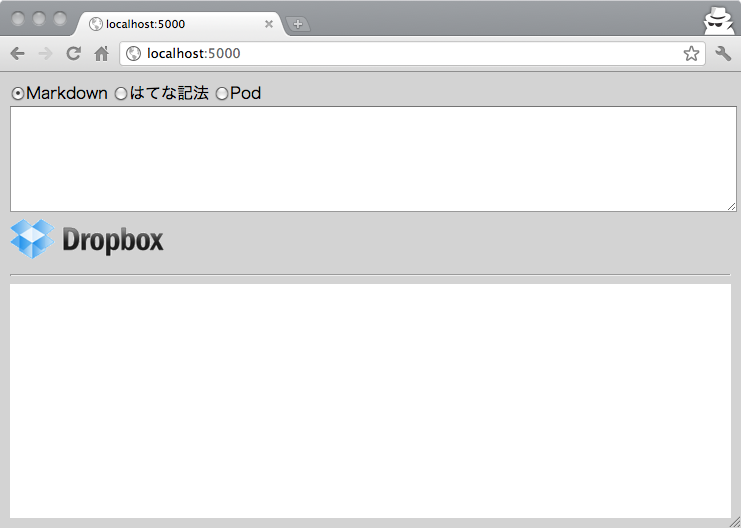
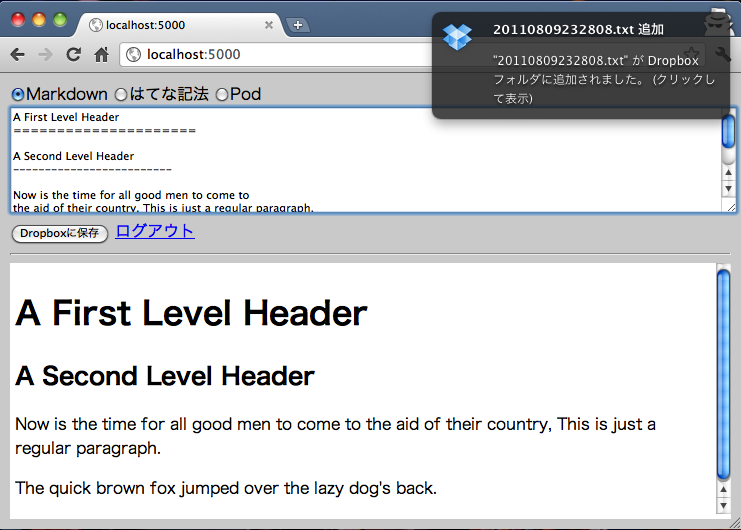
dropbox ロゴをクリックしてログイン!適当に文書書いて「Dropboxに保存」してみると、
一旦 dotcloud にあげたりしてみたんですが、セッション周りがうまくいかなくてリロードしまくらなきゃだったり、404を頻発するのでやめときましたorz ローカルでやってる限りは割とスムーズにいくんだけどなぁ。。。ちなみに dotcloud で試す場合は、__DATA__ に書かれてる index.tt をtmpl/index.tt に移さないとです。